Functions Tab
In the Functions tab you can manage Functions and Triggers as defined on the Edge Asset. The applications “App - ECP Functions Stack” and “App - ECP Support Functions” are required.
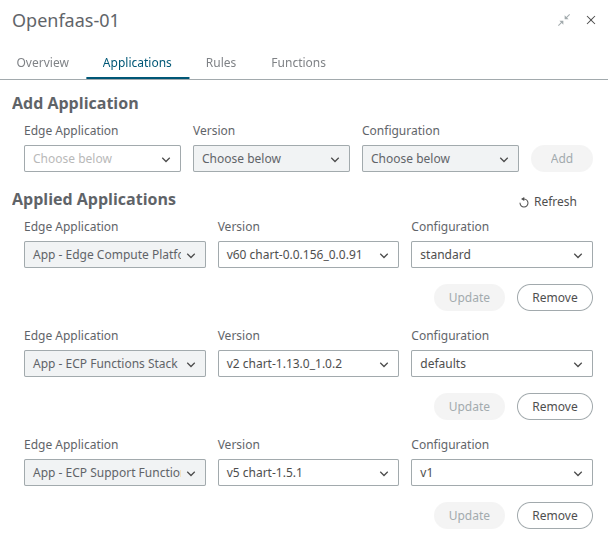
See Functions at the Edge for more information on how these applications work. The Functions tab enables you to manage this functionality through a graphical user interface.
- Functions
- Triggers
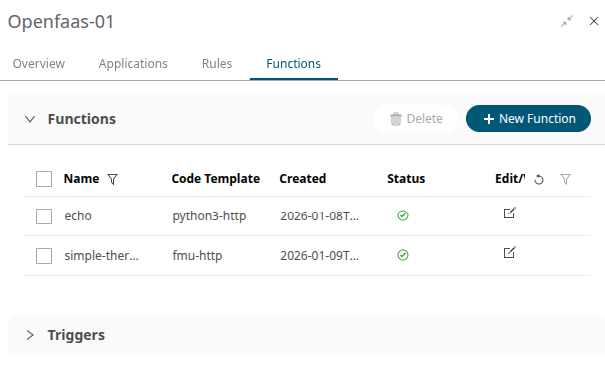
Create a New Function on the Edge Asset
To create a new Function on the Edge Asset, it first needs to have been built for the correct architecture (arm64, x86_64). See Build a Function for the Edge for more information.
Optional environment variables and topics that the function should be triggered on (Telemetry Trigger) can be added.
- Click on the + New Function button to open the dialog.
-
The drop-down for the required Name will be populated with all built Functions
for any edge architecture. Make sure to choose an appropriate one for the
Asset’s architecture; an architecture mismatch will result in a failed deploy.
Note: For more information on these telemetry triggers see Invoke a Function at the Edge. The triggers themselves need to be configured as described in the Triggers section.
Figure 3. 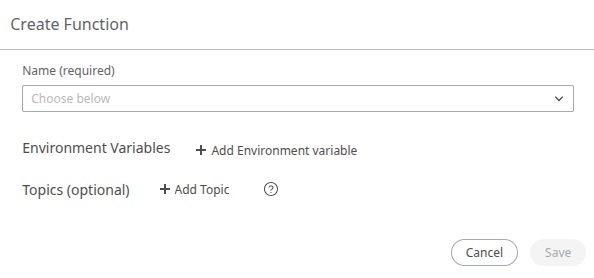
- Click Save to start the deployment onto the Edge Asset. It will take a short time for the new Function to appear in the list with the updated status.
-
Once the Function is deployed, it can be invoked from the View/Edit dialog by
clicking on the Invoke button. This will open the API
Client with the Function URI pre-filled. An optional request body can be filled
in.
Figure 4. 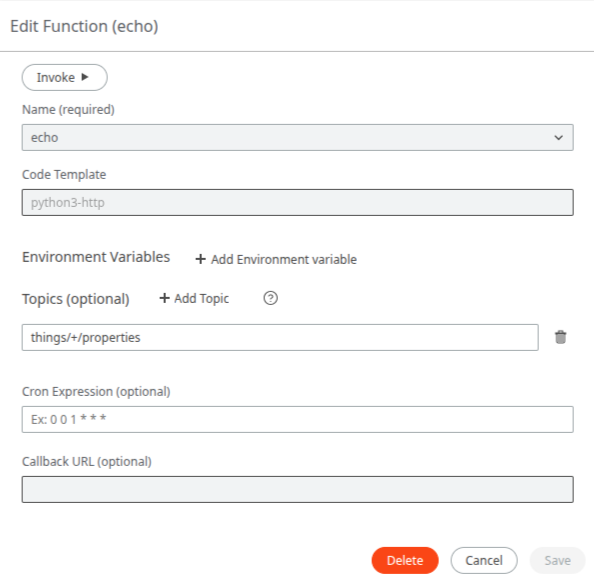
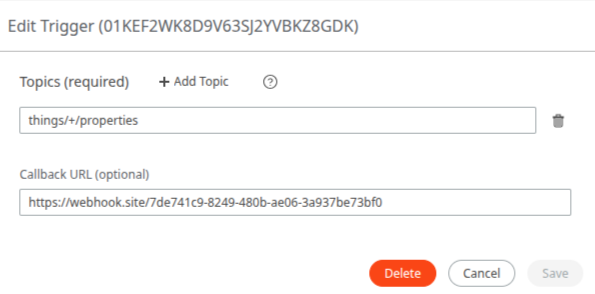
- Use the Edit dialog to configure a cron schedule to invoke the Function on. An optional Callback URL can be provided to have the Function output POSTed to.
Create a Trigger
-
Click on the arrow to the left of the Triggers header to expand the view and
display the list of Triggers.
Figure 5. 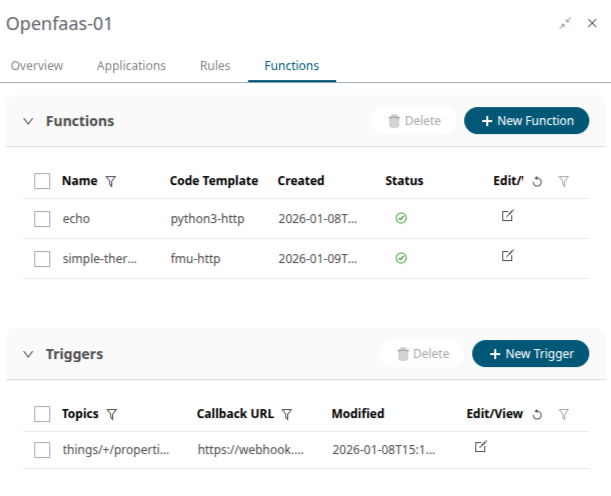
-
Create a new Trigger by clicking on the + New Trigger
button. Or, edit an existing Trigger from the Edit/View dialog.
Figure 6. 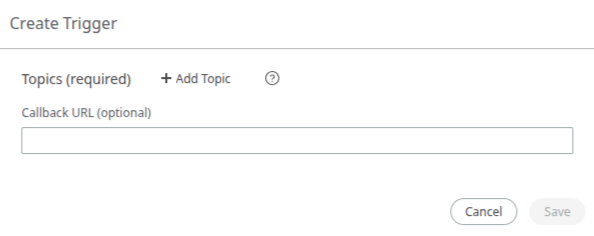
-
Enter in the Topic(s). A topic is unique and cannot exist on multiple Triggers.
The topic(s) configured on the Functions themselves are not unique. Multiple Functions can have the same topic configured. However, only one Trigger can be created for a topic.
-
If desired, enter a callback URL to have the output of the Function POSTed to.
Figure 7.